Menu Price Estimator
Pick a category & add items
Menu Categories & Price Ranges
|
Menu Category |
Lowest Price |
Highest Price |
Typical Price Range |
|---|---|---|---|
|
Starters |
$4.99 |
$13.49 |
$5 – $14 |
|
Steaks |
$12.49 |
$33.99 |
$13 – $34 |
|
Ribs |
$20.49 |
$25.99 |
$20 – $26 |
|
Combos |
$19.99 |
$35.99 |
$20 – $36 |
|
Seafood |
$18.99 |
$19.99 |
$19 – $20 |
|
Chicken |
$14.99 |
$17.99 |
$15 – $18 |
|
Country Plates |
$10.99 |
$14.49 |
$11 – $15 |
|
Burgers & Sandwiches |
$12.49 |
$15.99 |
$12 – $16 |
|
Salads |
$4.99 |
$20.99 |
$5 – $21 |
|
Sides |
$2.49 |
$3.99 |
$2 – $4 |
|
Kids Meals |
$4.99 |
$13.99 |
$5 – $14 |
|
Desserts |
$6.99 |
$6.99 |
$7 |
|
Family Meals |
$6.99 |
$54.99 |
$7 – $55 |
|
Drinks (Non-Alcoholic) |
$1.99 |
$5.00 |
$2 – $5 |
|
Margaritas |
$6.00 |
$10.00 |
$6 – $10 |
|
Cocktails |
$6.00 |
$10.99 |
$6 – $11 |
|
Beer |
$3.99 |
$5.99 |
$4 – $6 |
|
Wine |
$6.99 |
$25.00 |
$7 – $25 |
Every query starts with the intention to learn something new. For example, why do we use a tool to calculate the menu price? How does it provide an accurate bill according to the selected dishes? Is it good to calculate it online easily?
A menu price estimator is a tool that calculates your bill easily by selecting just one dish. Every category of food is available, and by choosing items, you can get your total bill online. It is a perfect tool that calculates your amount with tax and tip, helping you get accurate results quickly.
What Is a Menu Price Estimator?
The menu price estimator tool is the best way to calculate your bill by simply adding your dish. It includes all categories of food available at Texas Roadhouse. It also adds tax and tip to the bill. When you add your dishes, you can get the total bill.
It is an automatic calculator rather than a manual one. You just need to select your favorite dish, and you will receive the bill. A manual calculation is difficult because it requires adding prices, tax, and selections manually. That’s why this menu price estimator is recommended.
You can use it before ordering to plan your meals and easily split the bill.
How the Menu Price Estimator Works
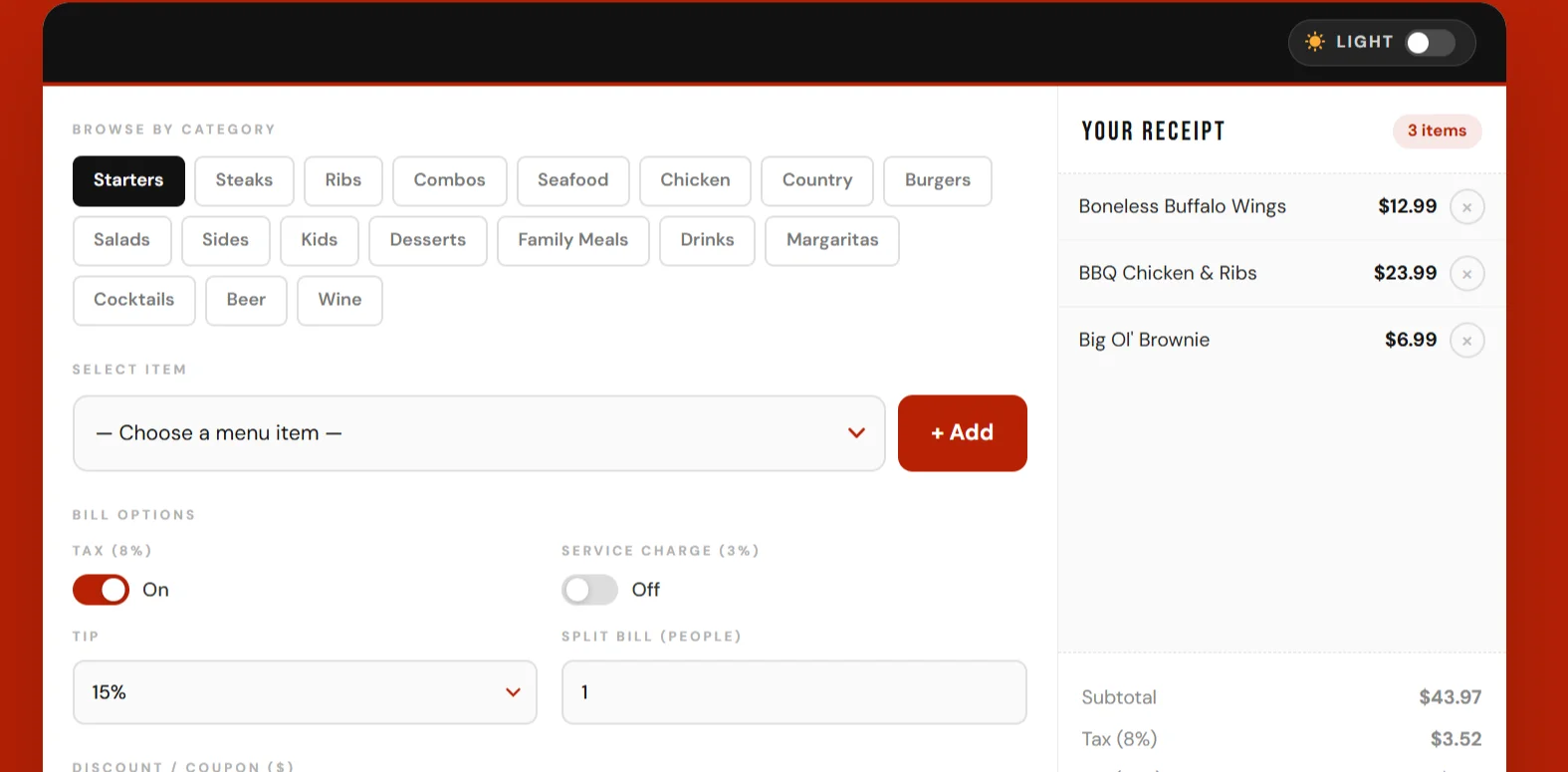
The menu price estimator is a simple tool. Anyone can easily use it without any difficulty. Below is a step-by-step process on how to use it:
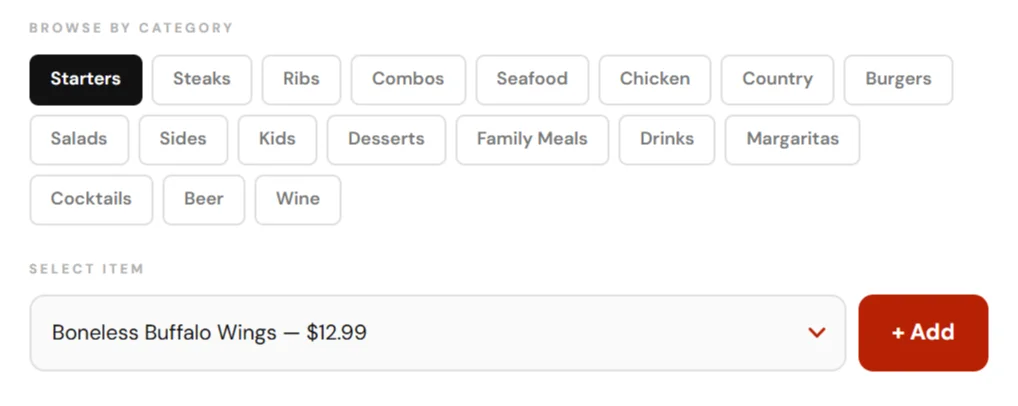
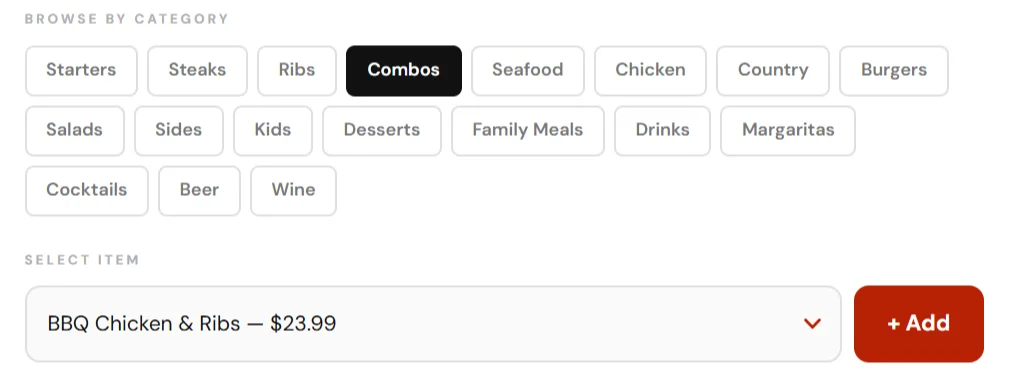
- At the top of the price estimator, all food categories are listed. You need to select the one you like.
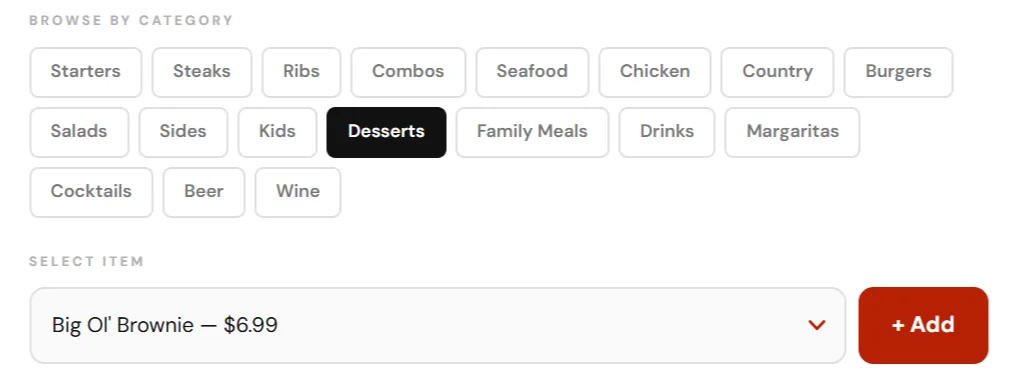
- After selecting, go to “Choose Menu Item.” There are many dishes listed, so you can select your favorite one.
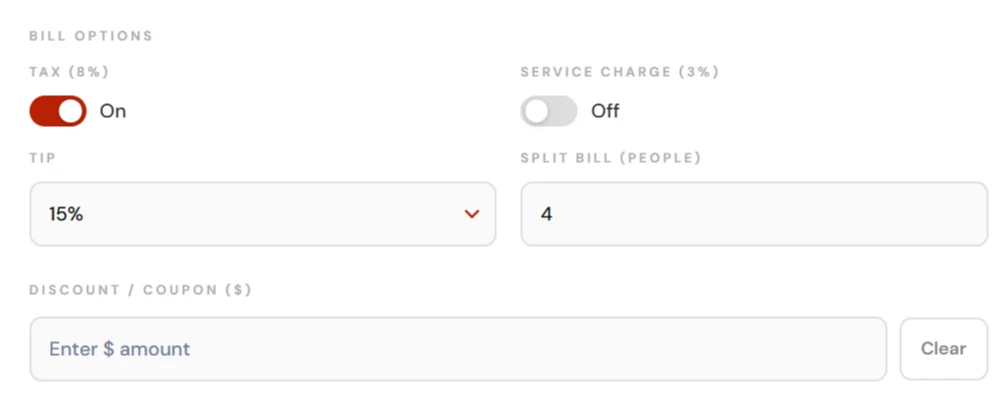
- Below this, bill options are available for tax and service charges. The tax option is on, and the service toggle is off. If you want to include service charges, you can enable it.
- At the bottom, you can apply a discount by adding a coupon or discount code.
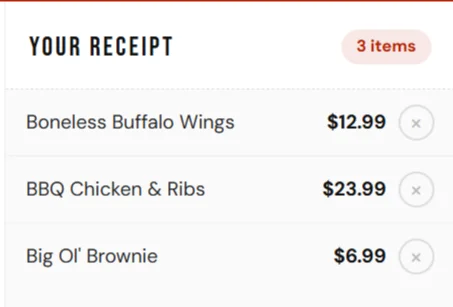
- Next, your selected dish will be displayed.
- At the end, your total bill is calculated automatically.
- You can also split the bill between multiple people.
- This is the best way to check your bill before ordering, and you can get live updates of your total.
Key Features of the Menu Price Estimator
The menu price estimator has many features that clearly describe the tool and make it easy to use.
Select Menu Categories Easily
The menu price estimator is a helpful tool to create your bill easily in a better way. You can easily choose a category because all categories are mentioned in the tool. The categories include starters, steaks, ribs, seafood, country chicken, burgers, family and kids’ meals, and many more.
Add Items to Your Receipt
After selecting the category, you can choose items from that category. The items are listed, and you can select one or more. Then, by pressing the “Add” button, the selected items will be added to the bill.
Automatic Tax Calculation
The menu price estimator tool has toggles through which it can automatically calculate tax. You can turn it on or off. There is always an 8% tax calculated.
Service Charge Toggle
Here is the present service charge option. You can add or remove service charges with just one click.
Tip Calculator
The tool consists of a tip button that automatically calculates your tip. There are options for tip percentages like 15%, 20%, 25%, etc.
Discount / Coupon Feature
In all features of the menu price estimator, this is the best feature. If you have any coupon codes, you can use them and get a discount. It automatically adds your total amount.
Split the Bill Easily
Its unique option is added, and it is ideal for groups. If you want to split or divide the bill, this is a good option. You can add the number of people, and then it will split your bill.
Light & Dark Mode
It has a light and dark mode, which is a good option. You can choose according to your preferred mode. It also has another feature: you can print your bill easily or save your bill.
Benefits of Using a Menu Price Estimator
The menu price estimator is not only designed to calculate the bill, but it also has many benefits for people.
Better Budget Planning
A restaurant bill calculator is good for planning your budget. Before going to the restaurant, you can easily estimate your total cost.
Time-Saving
A restaurant price calculator is a time-saving tool that avoids manual calculation. If you calculate by a manual method, then it is long, difficult, and confusing. So choose it and avoid worries.
Helps Large Groups
An online menu calculator helps many people create their bill online and is free to use. It is one of the calculators available. You can easily split the bill among groups without manual calculation. So, you should use it and get the benefits of this price estimator tool.
Avoid Surprises at Checkout
The tip calculator tool is also a function of this tool. It is one tool and has many functions. It is better to check at the end of checkout to calculate your bill. It is a better option to estimate the price first before paying.
Perfect for Meal Planning
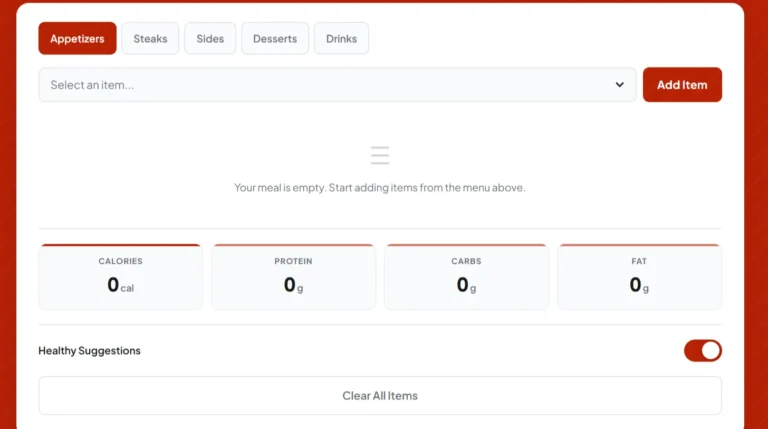
The menu price estimator calculates your bill easily, and there is another tool called the calorie calculator. With the help of both tools, you can easily plan your perfect meal.
Who Should Use This Tool?
I prefer that everyone use this tool, but here is the list of those who should use it:
- Families should use it for planning a big meal.
- Large groups should use it for dining at night.
- Students should use it for planning their budget and can easily get a bill.
- Health-conscious people should use it before ordering any meal.
- Food bloggers and reviewers should use it to estimate their bill online.
Example Use Case
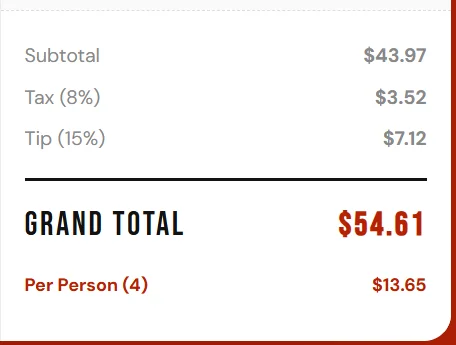
There is a visual choice of a meal, and then you can estimate your bill using the menu price estimator.
Step 1:
Step 2 :
Step 3 :
Last Step :
Why This Tool Improves User Experience
Every tool has its own features and characteristics. It provides the best user experience because:
- It has a clean user interface
- It has a mobile-friendly design and performance
- It has faster performance than any manual calculator
- There is no need to download anything; you can create your bill online
- It is interactive, fast, and has both dark and light themes
Tips to Save Money Using the Menu Price Estimator
There are good tips you can use for your own benefit:
- Add menu items, then compare their prices before ordering; it will save you money.
- Check the price of different categories and their differences.
- The best way to save money is to try combos or family meals.
- It is ideal for groups to split their bill.
- You should adjust the tip and service charges per item.
Conclusion
The menu price estimator is one of the best tools to use. It is easy, mobile-friendly, and offers great performance. I always recommend using it to easily create your bill online. Before going to Texas Roadhouse, you should calculate your meal budget in advance.